Guides
Save the date: what it is, when to send it, what to write, and how to make one
The muhurat is fixed, the venue is booked, and the cousins in Pune and Dubai need to know before flights get expensive. A save the date does one job: it claims the day. Here is when to send it, what to put on it, what to leave off, and how to make one that later grows into the full invitation.
The FunctionCard team
· 13 min read
In most Indian families the wedding date is decided long before anything else is ready. The pandit gives a muhurat, the hall is booked for those days, and then a quiet worry sets in: what if Mausi has already planned her trip, or the cousin in Bengaluru can't get leave? A save the date answers that worry early. It is a short, happy announcement that says keep these days free, with the proper invitation to follow.
Quick answer
What is a save the date, and when should you send it?
A save the date is an early notice that tells guests the date and city of your wedding so they can book travel and leave before the formal invitation arrives. For a wedding in your own city, send it about three months ahead; for a destination or overseas wedding, about six months. Send it only to guests you will definitely invite.
One job, done early
The save the date doesn't list functions, timings or the RSVP. It only claims the days. Everything else waits for the invitation, which usually goes out about six weeks before the wedding.
The basics
What is a save the date, exactly?
It is the first message guests receive about your wedding, sent weeks or months before the invitation. Think of it as a booking: you are asking people to hold the dates while the details are still being worked out. It can be a printed card, a picture on WhatsApp, a short video or a link that opens like a card. The format matters less than the timing and the three things it must carry: who is getting married, when, and where (a city is enough).
The custom fits Indian weddings well: they run over several days, guests travel across states and countries, and the dates fall in a crowded season when tickets and rooms go quickly.
Save the date
- Sent about 3 months ahead (6 for a destination wedding)
- Names, dates and the city
- Short and cheerful, often with a photo
- No RSVP needed
- Only to guests you are sure of
Deciding
Should you send a save the date at all?
Not every wedding needs one. If the wedding is six weeks away, send the invitation instead. A save the date earns its place when guests have to travel, when the date falls in peak season, or when you want people to block several days.
Quick pick
Which describes your wedding?
Tap the one that sounds like you.
Timing
How far in advance should you send a save the date?
The common rule of thumb is about three months before a wedding in your own city and about six months before a destination wedding. Much earlier and people forget. The free planner below works backwards from your wedding date to the day for each message, from the save the date to the day-before reminder.
Free planner · try it here
Work out your save-the-date day
Choose the kind of event, enter the date, and copy the plan into the family group. These are common rules of thumb: move any date to suit your family.
- 90d
- 42d
- 21d
Remind those who haven't replied
21 days before
A gentle nudge to the guests still silent, a week before replies close.
How - 14d
- 5d
Final numbers to caterer and venue
5 days before
Count each function separately: haldi and reception rarely match.
How - 1d
A common rule of thumb, not a rule: move any date to suit your family.
Check the calendar for festivals
If your save-the-date day lands on Diwali week or the day of a big cricket final, send it a few days earlier or later. A message sent into a flood of festive greetings is easily missed.
The details
What should a save the date include, and what should it leave out?
Keep it short enough to read in five seconds. Everything beyond the names, dates and city belongs in the invitation, because it may still change.
- Names: the couple's first names, or "Sharma and Kulkarni families" if the parents are announcing.
- Date or dates: write all the days if the wedding runs over several, such as 12–14 February 2027.
- City: Jaipur, or Udaipur, or Goa. The venue can wait.
- A line about what follows: "Invitation to follow" or "Details soon", so nobody asks you for the timings yet.
- Leave out: function times, the RSVP, gift or shagun lines, and anything you haven't finalised.
Send it only to people you will invite
A save the date is a promise of an invitation. Sending one to a colleague and then leaving them off the final list is harder to undo than never sending it. Finish the core guest list first, even if the wider list is still growing.
Copy-ready lines
What do you write on a save the date?
Short lines work best. Replace the words in brackets, and keep one line per message: the card or the photo does the rest. Every line below is written for this guide; tap to copy or send it on WhatsApp.
Save the date lines in English
Save the date! [Ananya] and [Kabir] are getting married on [12–14 February 2027] in [Jaipur]. Invitation to follow.
Keep these days free for us: [12–14 February 2027], [Udaipur]. [Meera] and [Arjun] are tying the knot, and it won't be the same without you.
The muhurat is fixed! [Riya] weds [Siddharth] on [8 December 2027] in [Indore]. Please hold the date; the full invitation is on its way.
Mark the calendar, book the leave, pack the dancing shoes: [Tanvi] and [Rohan], [Goa], [20–22 January 2027].
With joy, the [Iyer] and [Menon] families ask you to save [5 February 2027] for the wedding of [Lakshmi] and [Vivek] in [Chennai]. Formal invitation to follow.
Two families, three days, one very happy couple. [Simran] and [Karan] are getting married in [Amritsar] on [15–17 November 2027]. Save the dates!
Save the date lines in Hindi
तारीख़ याद रखिए! [नाम] और [नाम] का शुभ विवाह [तारीख़] को [शहर] में होना तय हुआ है। निमंत्रण जल्द ही आपके पास पहुँचेगा।
शुभ मुहूर्त निश्चित हो गया है। [तारीख़] के दिन [शहर] में हमारे साथ रहने के लिए अभी से समय निकाल लीजिए। विस्तृत निमंत्रण शीघ्र भेजेंगे।
हमारे परिवार में खुशियों की तारीख़ तय हो गई है: [तारीख़], [शहर]। कृपया ये दिन हमारे लिए बचाकर रखें।
दो परिवार, एक नया रिश्ता और ढेर सारी खुशियाँ। [नाम] और [नाम] के विवाह की तारीख़ [तारीख़] है। पूरा निमंत्रण जल्द आएगा।
Save the date captions for photos and Hinglish
Shaadi ki date pakki! [Date], [City]. Chhutti abhi se le lo, invitation baad mein aayega.
Band baaja aur baarat ki booking ho gayi hai. Ab bas aapki zaroorat hai: [Date], [City].
Our favourite date in the calendar: [date]. Hold it for us.
She said yes, the pandit said [date], and now we're asking you to say you'll be there.
Two cities, one love story, one date: [date] in [city].
Mehndi, music and a lot of family: [dates], [city]. Save them!
Need the full invitation wording later, with the family names in order and every function? See our wedding invitation messages, or write one in English, Hindi, Marathi or Hinglish with the free message writer.
Design
Does a save the date need a photo, and what size should it be?
A photo is optional but useful: in a chat full of forwards, a familiar face makes people stop. A pre-wedding photoshoot picture or a candid from the roka works well. Without a photo, a bold date in large numbers does the same job.
Size depends on where it will be seen. For WhatsApp and phones, a tall phone-shaped card fills the screen. For Instagram posts, square. For a printed card, the 5 × 7 inch print size is standard. In FunctionCard every design comes in all three: press Resize in the editor's top bar and the layout, text and stickers adapt. Details are in Change the card size.
Save-the-date designs to start from
See all
Shaadi Save the Date

Golden Hour Date
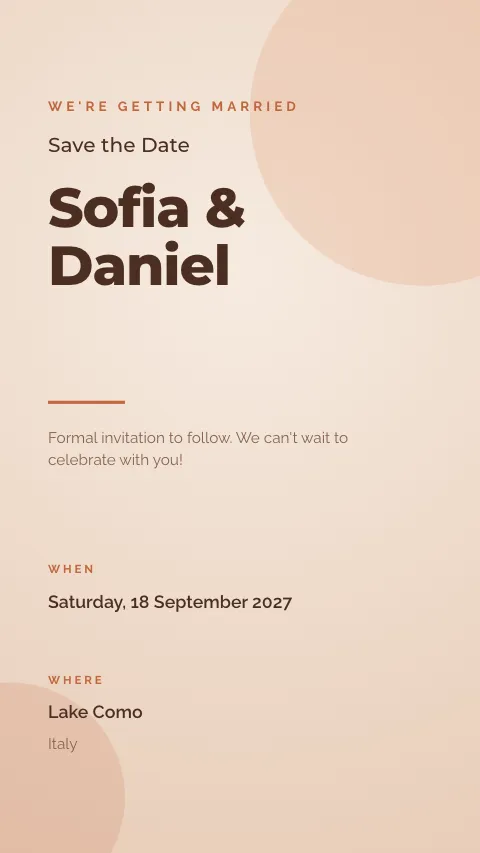
Terracotta Date

Sandstone Arch

Starry Save the Date
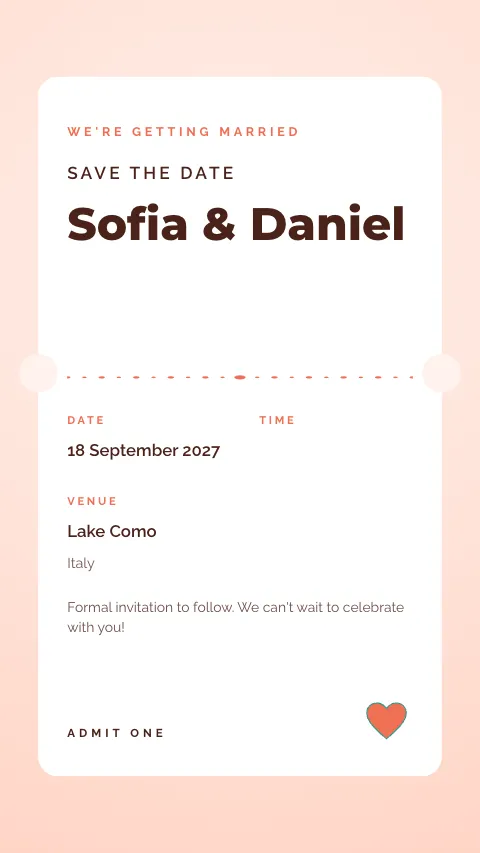
Boarding Pass Date

Blush Save the Date

Peach Bloom Date
Free to customise: change every word, colour, photo and the music, then share one link.
A boarding-pass design such as Boarding Pass Date suits a destination wedding; Shaadi Save the Date carries a traditional Indian feel. See them all on the save-the-date designs page.
Step by step
How do you make a save the date online?
Plan on about fifteen minutes. Designing and previewing in FunctionCard are free once you sign in; you pay only when you publish the link.
Step by step
Make a save the date in FunctionCard
From a design to a link you can send on WhatsApp.
You'll need
- The couple's names as they should read
- The wedding date or dates
- The city
- A photo, if you want one
Step 1 of 6
Open the save-the-date designs
Go to the save-the-date designs and open one to watch it move, with its envelope and music.
Browse designsChoose the size for phones, print or square, then press Customise this card. You will be asked to sign in first; it is free.
See it in the help centreOpen Details and type the Names, the Date and the City. Text on every page that comes from Details changes as you type. Leave the functions for later.
See it in the help centreTap the sample photo on the card, press Replace photo and upload yours.
Tip: No photo? Pick a design without one, so no sample photo goes out by mistake.
See it in the help centrePress Preview in the top bar to see the card exactly as guests will, with a watermark until you publish.
See it in the help centrePress Publish, choose a plan and pay. On You're live!, press WhatsApp and pick a chat or a group, or press Copy link.
See it in the help centre
Try it live
This is what your guests see
A live save-the-date design: tap the envelope to open it and hear the music. Your names, date and city replace the sample ones.
- 1Tap the envelopeIt opens on the guest's screen, with your wax seal and monogram.
- 2Your music beginsTurn the sound on: the song starts as the card unfolds.
- 3The pages come aliveScroll through animated pages, with petals, confetti or lanterns.
What comes next
How does a save the date turn into the wedding invitation?
There are two ways. The first is two separate designs: the save the date now, the full invitation later. In FunctionCard each is its own published invitation, so that is two Starter invitations at ₹399 each, or the Family plan at ₹999 for up to 10 invitations within 12 months. Prices are plus GST, paid once, and never renew.
The second way uses one link for both. Publish your save the date, and when the details are ready, open the same design from My designs, add each function under Functions with its date, time, venue and map, turn on the RSVP, and press Update and then Publish changes. Guests who already have the link see the full invitation at the same address, and changes after publishing are free (how editing after publishing works). The design stays the one you started with, so if you go this way, pick a design you will be happy with for the wedding too.
Quick pick
Which way suits you?
Tap the one that sounds like you.
What FunctionCard doesn't do
It doesn't print or post cards. For printed save the dates, download the Print PDF with QR code after publishing and take it to a local press, which can quote for the paper and printing.
Plan it
A save-the-date checklist, from the muhurat to the invitation
Checklist
Tick off as you go
0 of 10 done · ticks stay in this browser
As soon as the muhurat is fixed
4 months before
3 months before
2 months before
6 weeks before
10 days before
Avoid these
What are the common save-the-date mistakes?
Five things that go wrong, and the fix
Too early
Sent a year ahead, it gets forgotten. Three to six months is the useful window.
Too much
Function timings that later change mean a second, awkward message. Keep the save the date to the names, dates and city.
Wrong list
Sending it to people who may not make the final list. Send it only to the core list.
Lost in a group
One post in a 200-member family group gets buried. Send it to each household, or pin it in the group.
No follow-up
A save the date with no invitation after it confuses people. Put the invitation day in your calendar the day you send the save the date.
Key takeaways
- A save the date claims the days early; the invitation, about six weeks out, carries the functions, venues and RSVP.
- Send it about three months before a wedding in your city and about six months before a destination wedding; the free planner works out the exact days.
- Keep it to the names, the dates, the city and "invitation to follow", and send it only to guests you will certainly invite.
- A photo helps in busy chats but is optional; choose the phone, print or square size for where it will be seen.
- In FunctionCard one published link can start as a save the date and become the full invitation later, free, with Update.
Questions people ask
What is the meaning of save the date?
How far in advance should you send a save the date for an Indian wedding?
What is a good caption for a save the date?
Do save the dates need a photo?
Do you need an RSVP on a save the date?
Can I send a save the date on WhatsApp?
Names, dates and city in minutes · send on WhatsApp · grow it into the full invitation later
Make your save the date today, free until you publish
Read next