Guides
Invitation card maker: a panel-by-panel tour, and what's free before you publish
Birthdays, griha pravesh, namkaran, anniversaries, office parties: one invitation card maker handles them all. Here is every tool in the editor in the order you'll use it, what costs nothing, what publishing adds, and the small habits that make a card easy for guests to read.
The FunctionCard team
· 15 min read
A good invitation card maker should feel less like design software and more like filling in a form that happens to look beautiful. You choose a design for the occasion, type the details once, change what you want changed and send it. This tour opens every tool in the FunctionCard editor in the order most people need them, so you know exactly what each one does before you start, and what is free along the way.
Quick answer
What is an invitation card maker, and how do you use one?
An invitation card maker gives you ready designs that you change yourself: words, photos, colours, music. In FunctionCard you pick a design, press Customise this card, fill in Details once and adjust the rest with the editor's tools. Designing and Preview are free after signing in. You pay once only when you Publish, and guests get one link that opens in any browser.
1,771
designs to begin with
165
occasions covered
53
languages for your card
19
effects like petals and confetti
The basics
What does an online invitation card maker actually make?
Two very different things go by the same name. Some makers hand you a finished picture or PDF: you forward it, and from then on it cannot change or do anything. Others hand you a live invitation, a web link that opens like a card. FunctionCard makes the second kind, and it can also give you the first: once published, the same design downloads as pictures, a PDF for printing or an MP4 video.
FunctionCard
- One link that opens with an envelope, music and animated pages
- Map, Add to calendar and RSVP buttons on the card itself
- Fix a spelling or a time after sending; guests see it at the same link
- Headcount for each function, and guests who greet by name through personal links
A picture is enough for a casual get-together where everyone knows the place. A live invitation earns its keep with several functions, out-of-town guests or a caterer waiting for numbers. Our comparison of a digital invitation and a printed card goes further.
Starting
Where do you start: a design, a blank card or one sentence?
There are three doors into the editor, and the right one depends on how much you already know about the look you want.
Quick pick
How do you want to begin?
Tap the one that sounds like you.
Decide the language before the design
Use Show designs in… (the globe at the top of the page) to see the whole store in Hindi, Marathi, Tamil or any of the 53 languages. It is easier to choose a design whose own words are already in your language than to switch later.
The tour
What does each tool in the invitation card maker do?
On a phone the tools sit in a row along the bottom of the screen; on a computer they run down the left side. Tap one to open it, tap it again to put it away. The order below is the order that saves the most rework: words first, looks second, sound and motion last.
Step by step
Build your invitation, one editor tool at a time
Everything here is free once you are signed in, and the editor saves by itself a moment after each change.
You'll need
- Names exactly as they should be printed
- Date, time and venue for each function
- One or two photos, if the design has room
- A Google Maps link to the venue
Step 1 of 9
Details: the who, when and where
Open Details and fill in the Occasion, the Names (up to six), an optional Hosts line and your Message, then Date, Time, Venue, Address, City and Map link. Text on every page that comes from these fields updates as you type.
Tip: Under Message, the ready-made message ideas give you a starting line in English or Hindi for your occasion.
See it in the help centreStill in Details, go to Functions and press Add a function for each part of the day, such as a puja in the morning and lunch after. Each gets its own date, time, venue and map, and the up and down arrows set the order.
See it in the help centreOpen Text to add a heading, calligraphy, a subheading, body text or small print. Font pairings for the whole card changes every heading and line in one tap, which is the quickest way to change the card's mood.
See it in the help centreTap the sample photo and press Replace photo. For extra pictures, open Photos, press Upload photos and pick a Shape such as circle, arch or heart, with a Filter and Border if you like.
See it in the help centreOpen Stickers for ornaments, frames and shapes, and for smart blocks that do a job: the Programme of functions, a Countdown, and RSVP, Map and Calendar buttons.
See it in the help centreOpen Background for colours, gradients, patterns and photo backgrounds, and for the card size. Resize in the top bar switches between the phone, print (5 × 7 inches) and square sizes, and the layout adapts.
See it in the help centreOpen Music, play a few tracks and press Use. You can also upload your own song or record a Voice message of up to 2 minutes, which plays before the music when guests open the card.
See it in the help centreIn Effects, choose something under Falling and floating, such as petals, confetti, snow or lanterns. In Envelope, turn on Open with an envelope and add a Monogram on the seal of up to five letters.
See it in the help centrePress Preview in the top bar to watch the envelope, music and every page as a guest would. It carries a watermark until you publish. Close preview takes you back to editing.
See it in the help centre
Changing one item, not the whole card
Tap any text, photo or sticker on the card and its own panel opens: position, colour, font and Animation. From there you can Duplicate, Bring forward, Send backward or Delete it. Pages live in the strip under the card, with Add a page, Duplicate page and Delete page.
Cost
Is there an invitation card maker that is free without a watermark?
In FunctionCard, the making is free and the sending is paid. You can sign in, design, try every tool, change your mind as often as you like and preview the result without paying anything. The watermark sits on the preview and on downloads until you publish. Publishing is a one-time payment, and nothing renews afterwards.
What is free, and what publishing adds
| Feature | FunctionCard | Before publishing | After publishing |
|---|---|---|---|
| Every editor tool, every design | |||
| Preview as guests see it | With a watermark | ||
| A link guests can open | |||
| RSVPs and headcount per function | |||
| Personal guest links and email sending | |||
| PNG, PDF and MP4 without the watermark | |||
| Edits after sending | Not needed yet | Free, same link |
The first column shows what a FunctionCard invitation can do in all; the other two show when each part is available.
Quick pick
Which plan fits what you are planning?
Tap the one that sounds like you.
Every plan has every feature; the plans differ only in how many invitations they publish. The details, including what counts as a function, are in Plans and prices.
Occasions
Can one invitation card maker handle birthdays, pujas and parties too?
Yes. A kids' birthday wants a bright design, one photo and a clear end time for parents picking up. A griha pravesh wants the muhurat time and a proper map link to the new address. A naming ceremony often runs as two functions, the ritual and a meal, each with its own headcount. Pick the occasion first and the designs you see already suit it.
Designs for everyday celebrations
See all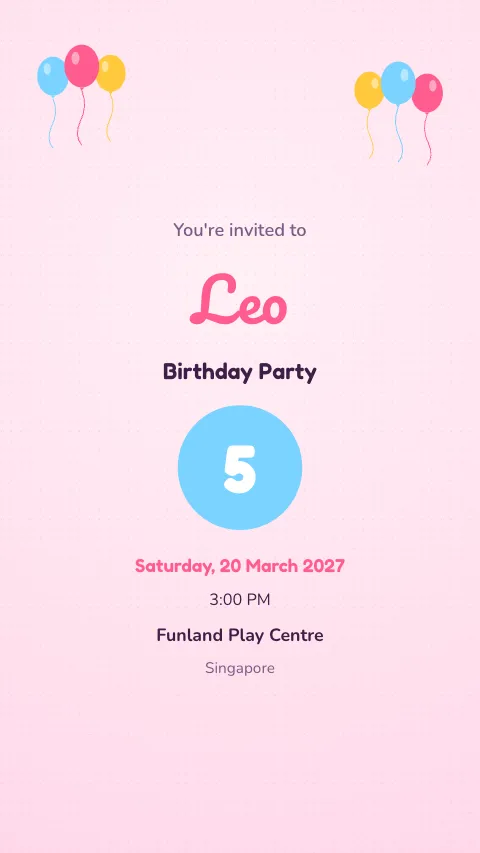
Balloon Bash
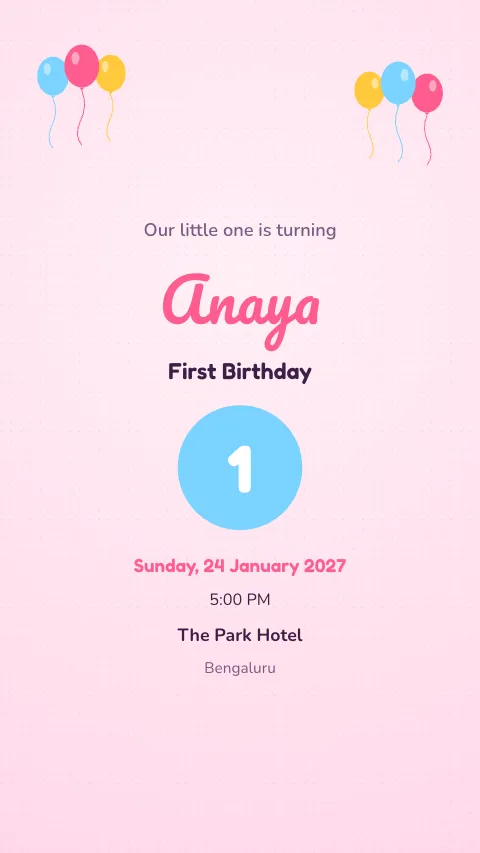
Little One
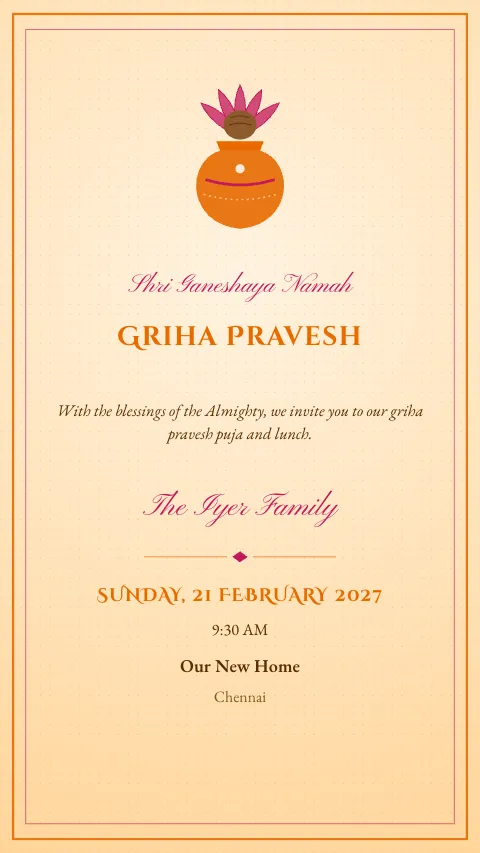
Kalash Welcome
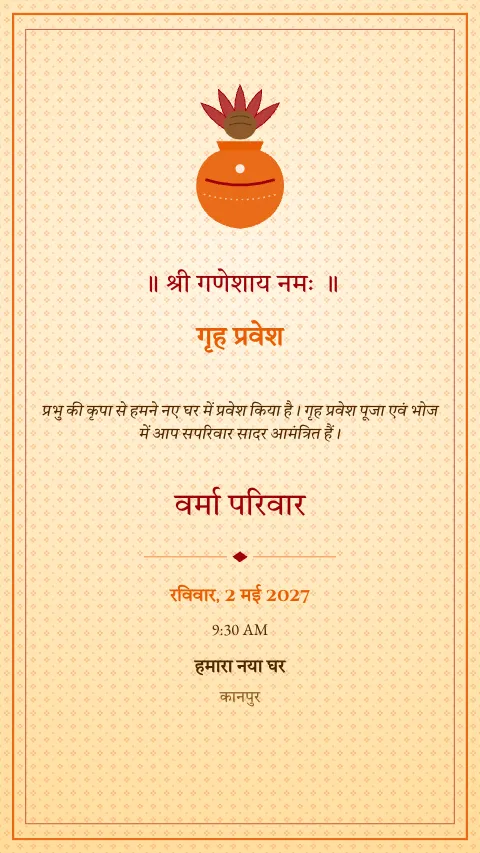
Shubh Griha
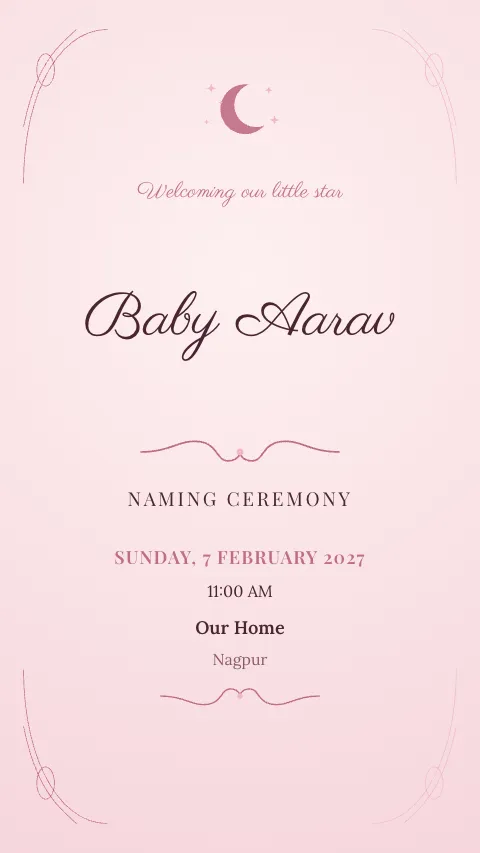
Rosebud Namkaran

Golden Moments
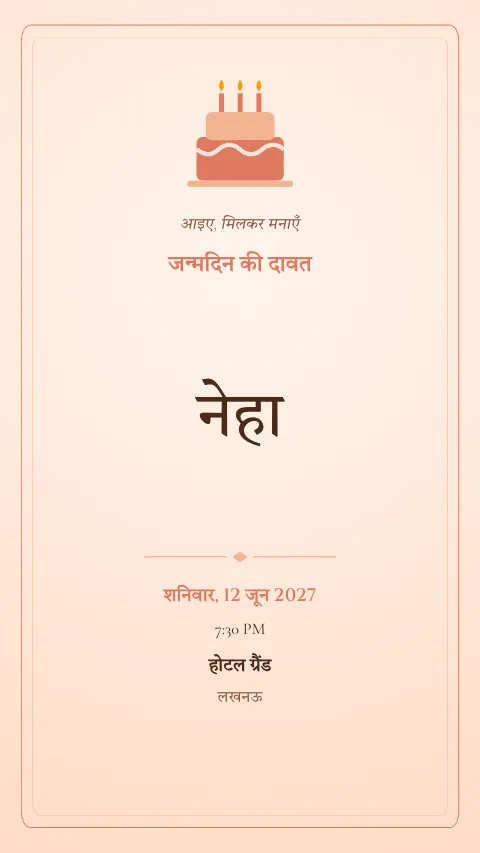
Khushiyon Ki Shaam

Year-End Toast
Free to customise: change every word, colour, photo and the music, then share one link.
How the tools map to four common events
Kids' birthday
Photos for the birthday child, Effects confetti, a Countdown smart block, and an RSVP so you know how many return gifts to buy.
Griha pravesh
Functions for the puja and the bhojan, a Map link to the new house, and a Voice message from the grandparents.
Namkaran
A soft design with a baby photo in a circle Shape, the card language set to Hindi or Marathi, and the name revealed on the last page.
Office party
Your logo from the brand kit in Photos, the company fonts first in the list, and the guest list emailed from the dashboard.
Browse birthday designs, housewarming designs or naming ceremony designs, or open every occasion to find yours.
Photos
How do you make an invitation card with your own photo?
Many designs carry a sample photo that is waiting to be replaced. Tap it, press Replace photo and choose yours; it drops into the same frame. You don't need to shrink big phone photos first, because they are made smaller on your device before uploading. For a softer look, set a photo as the whole background: in Photos, press Background on it, then use Photo strength, Blur and Darken for readable text so the words on top stay clear.
A photo on the card: worth it?
Good
Guests recognise the family at a glance in a crowded WhatsApp chat
A baby, a couple or a new house photo makes a simple design feel personal
Shapes such as an arch or a heart frame a casual phone photo nicely
Watch out
A busy photo behind text makes the date and venue hard to read
Only use photos you have the right to use, with permission from the people in them
Languages
Can you make an invitation card in Hindi or another Indian language?
Yes. On a card you have already started, open Details and choose the Card language under When and where. Dates, the design's own words and what guests read, such as the RSVP, calendar and countdown, switch with it. Anything you typed yourself stays as it is, so rewrite your own lines in the new script, and use Undo if you change your mind. Type in any script and the right fonts load by themselves.
Short Hindi lines for everyday invitations
नए घर की पहली सुबह आपके आशीर्वाद के साथ शुरू हो, यही हमारी कामना है। गृह प्रवेश पूजा में सपरिवार पधारें।
हमारी नन्ही परी का पहला जन्मदिन है। केक, खेल और ढेर सारी मस्ती के लिए आप ज़रूर आइए।
हमारे लाडले के नामकरण संस्कार में आपकी उपस्थिति हमारे लिए सबसे बड़ा उपहार होगी।
पच्चीस साल का साथ, अनगिनत यादें। इस खुशी में शामिल होने के लिए आप सादर आमंत्रित हैं।
Need complete wording? The free invitation message writer drafts lines for your occasion in English, Hindi, Marathi or Hinglish, and our invitation card format guide shows the order the parts usually go in.
Sending
How do you publish an invitation and send it to guests?
Publishing turns the design into a link. If you want replies, turn RSVPs on first, under Details → Replies, so the earliest guests can answer straight away.
Step by step
Publish the invitation and get it to every guest
About ten minutes, once the family has looked at the preview.
You'll need
- A finished design in My designs
- UPI, a card or netbanking
- Your guest list, for personal links
Step 1 of 5
Press Publish and read the reminders
Press Publish in the top bar. Before you publish lists gentle reminders, such as a sample photo still on the card, a date that has passed or a missing venue. None of them blocks you.
See it in the help centreChoose Starter, Family or Business, press Pay … and publish and pay through Razorpay by UPI, card or netbanking. On a Family or Business plan you already own, press Publish with my plan instead.
Open itThe You're live! screen shows your link, ready to send on WhatsApp or copy into any app. Open it shows the invitation exactly as guests see it.
See it in the help centrePress Guests, RSVPs & email to add your guest list, send links that greet each guest by name, email the invitation and watch the headcount for each function.
See it in the help centreOpen the design from My designs, make the change and press Update, then Publish changes. Guests see the new version at the same link, and it never uses another invitation.
See it in the help centre
Try it live
This is what your guests see
A live housewarming design: tap the envelope to hear the music, then scroll to the puja timing, the map to the new house and the RSVP.
- 1Tap the envelopeIt opens on the guest's screen, with your wax seal and monogram.
- 2Your music beginsTurn the sound on: the song starts as the card unfolds.
- 3The pages come aliveScroll through animated pages, with petals, confetti or lanterns.
Devices
Do you need an app to make or open the invitation?
No. FunctionCard runs in the browser on a phone or a computer, for you and for your guests. Your work saves to your account, so you can start on the phone during a commute and finish on a laptop at home. Guests open the link from WhatsApp, a text message or an email with nothing to install. Every design you start waits in My designs under Drafts until you publish it.
Reuse last year's card in a minute
Made a birthday card last year? In My designs, open the ⋯ menu, press Duplicate, then change the age, the date and the photo. The layout, fonts and music you chose come with it.
Checks
What mistakes do people make with an invitation card maker?
Checklist
Before you press Publish
0 of 9 done · ticks stay in this browser
Words
Details
Design
Replies
Honest limits
FunctionCard makes and sends the invitation. It does not print or post cards, sell tickets or phone anyone for you. If some elders prefer paper, download the print PDF after publishing and take it to a local press.
Key takeaways
- An invitation card maker either gives you a file or a live link; FunctionCard makes a live link and can download the file too.
- Fill in Details and Functions first, then text, photos, stickers, background, music, effects and the envelope.
- Designing and Preview are free after signing in; you pay once to publish, and nothing renews.
- Every plan has every feature and up to 20 functions per invitation; plans differ only in how many invitations they publish.
- Edits after publishing are free with Update, and guests see them at the same link.
Questions people ask
Which is the best invitation card maker for Indian occasions?
Can I make an invitation card online for free?
Can I make an invitation card on my phone?
Can I add my own font or brand colours?
How do I change the size of my invitation?
Can I turn the invitation into a video?
Can an AI app make the invitation for me?
Every tool free to try · pay once to publish · edit any time after
Open the invitation card maker and start free
Read next